Tuesday, 28 April 2026

Legal Teams in 2026: Matter Files, Secure Access, Evidence-Grade Audit Trails

legal document management in 2026: practical guidance, benefits, and implementation tips for enterprise teams.

legal document management 2026 enterprise automation

```html Legal Document Management & Audit Trails (2026) | Hridayam Soft

Legal Teams in 2026: Matter Files, Secure Access, Evidence-Grade Audit Trails

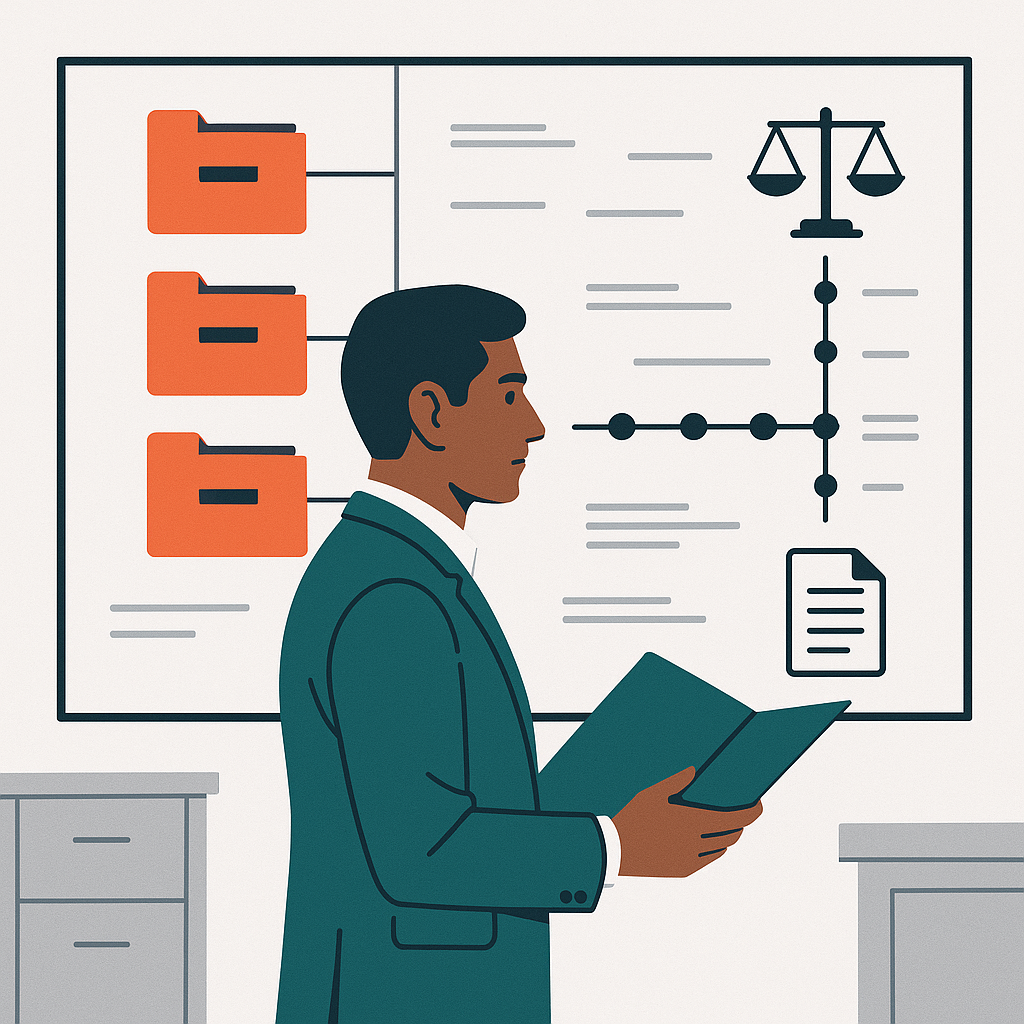
In 2026, legal document management is no longer a “repository problem”—it’s a defensibility problem. Regulatory timelines are shorter, collaboration is more distributed, and courts expect transparency in how evidence was handled. Modern legal operations must connect matter management, legal hold, and an evidence-grade audit trail into one coherent system that supports secure sharing, eDiscovery readiness, and strong document governance.

This thought-leadership perspective outlines what “good” looks like in 2026: governance-by-design, policy-driven workflow, and integrations that reduce risk rather than add tools. For a broader content foundation, align legal requirements with your enterprise stack using the ECM guide, the AI automation guide, and the Governance & compliance guide.

Why “evidence-grade” audit trails became the new baseline

An audit trail used to mean “who edited a file and when.” In 2026, it means proving chain-of-custody and demonstrating policy enforcement: immutable event logs, identity signals (SSO/MFA), IP/device context, and retention decisions. When your legal document management platform can show how content flowed through intake, review, approval, and external collaboration, you reduce disputes over authenticity and process.

  • Granular event logging: view, download, share, comment, annotation, redaction, and export.
  • Policy-proofing: demonstrate that document governance rules were applied at the moment of action.
  • Defensible retention: retention schedules + holds, with exceptions documented and time-stamped.
  • Operational continuity: auditability across workflow and integration points (email, DMS, CLM, case tools).
2026 insight: The fastest path to defensibility is not “more logs,” but fewer places where decisions happen. Consolidate matter management metadata, legal hold actions, and secure sharing controls inside the same legal document management workflow—so the audit trail reflects one coherent system of record.

Matter-centric information architecture: files that behave like cases

Legal teams don’t manage “documents”; they manage outcomes. That’s why 2026 best practice is matter-centric architecture: every document, email, transcript, and exhibit inherits matter metadata and policy automatically. This closes the gap between matter management and content control, and it improves eDiscovery readiness because collection sets and searches are already scoped correctly.

To operationalize this, define a matter template that includes standardized folders, tags, retention rules, and sharing boundaries. If you’re modernizing, start with a platform built for enterprise control such as an enterprise document management system and configure legal-specific patterns. Explore legal industry implementation context on Hridayam Soft’s legal industry page.

Secure sharing without losing custody: the 2026 collaboration model

External collaboration is now constant—co-counsel, experts, clients, regulators. “Send a PDF” is no longer acceptable when sensitive data, privacy constraints, and litigation risk collide. Secure sharing in 2026 means expiring access, watermarking, granular permissions, download controls, and continuous visibility through the audit trail.

  • Controlled access: role-based permissions tied to matter roles (lead counsel, reviewer, client viewer).
  • Share links with safeguards: expiration, view-only, domain restrictions, and revocation.
  • Automated redaction workflows: reduce manual errors and improve privacy compliance.
  • Integrated sign-in: SSO + MFA ensures identity is attributable in the audit trail.

When secure sharing is embedded into legal document management, your team avoids shadow IT and scattered copies. If you’re evaluating a legal-ready DMS, you can also review ShareDocs Enterpriser for a controlled collaboration approach designed for enterprise content workflows.

Legal hold as a lifecycle control, not a panic button

A legal hold must be precise, provable, and fast. In 2026, the maturity shift is from “issue hold notices” to “enforce preservation across systems.” That requires automated triggers (case opened, investigation flagged), custodians mapped to identity directories, and hold-aware retention so nothing is destroyed incorrectly.

Strong document governance makes legal hold less disruptive: retention schedules run normally, but holds suspend disposal only where required. The best systems also keep a defensible record of notifications, acknowledgements, scope changes, and releases—each action recorded in the audit trail.

Comparison: basic repositories vs. 2026-grade legal document management

Capability Basic repository 2026 legal-grade approach
Matter-centric structure Folders by team preference Matter management templates + enforced metadata
Preservation controls Manual “do not delete” Policy-driven legal hold + hold-aware retention
Defensibility Limited logs Evidence-grade audit trail across workflow & integration
External collaboration Email attachments Secure sharing with revocation, watermarking, access expiry
Discovery posture Ad-hoc collections eDiscovery readiness via standardized metadata + export sets
Policy control Guidelines, inconsistent use Enforced document governance with automation

Implementation blueprint: what to prioritize first

Successful programs focus on high-leverage controls rather than “migrating everything.” Prioritize the parts that most improve defensibility and speed: metadata, workflow, and integration.

  • Define matter taxonomy: matter types, phases, roles, and required fields for consistent matter management.
  • Standardize governance rules: retention schedules, access tiers, and review workflows under document governance.
  • Automate preservation: triggers and scoped legal hold actions with acknowledgements recorded.
  • Harden collaboration: replace ad-hoc sharing with secure sharing policies and link controls.
  • Prove defensibility: validate audit trail completeness with periodic audit reporting.
  • Design for discovery: export formats, collections, and indexing for eDiscovery readiness.

If you need an enterprise roadmap that connects governance, workflow automation, and security controls, start at Hridayam Soft and align your legal program with broader enterprise initiatives. Hridayam Soft Solutions typically recommends piloting one matter type (e.g., contracts disputes or investigations) and scaling templates once performance and defensibility metrics stabilize.

FAQ: legal document management, holds, and audit trails in 2026

1) What makes an audit trail “evidence-grade”?

An evidence-grade audit trail captures immutable, time-stamped events across the document lifecycle—access, edits, shares, exports, retention decisions, and legal hold actions—linked to verified identities and policies.

2) How does matter management improve eDiscovery readiness?

Strong matter management ensures documents inherit consistent metadata, custodians, and scope boundaries—so collections, searches, and exports are faster and more defensible, improving eDiscovery readiness.

3) Can secure sharing still allow collaboration with external parties?

Yes. Secure sharing enables controlled access (view-only, expiration, watermarking, revocation) while keeping visibility through the audit trail—reducing reliance on email attachments and uncontrolled copies.

4) What is the relationship between document governance and legal hold?

Document governance defines retention and access rules; legal hold temporarily overrides disposal for scoped content and custodians. When combined, they preserve what’s required without freezing everything.

Ready to modernize legal document management for 2026?

Build defensibility with matter-centric workflows, evidence-grade audit trails, secure sharing, and automated legal hold—without losing enterprise governance. Hridayam Soft Solutions can help you design a scalable approach that improves eDiscovery readiness and reduces risk.

Request a Demo

``` Legal document management in 2026: matter-centric files, secure sharing, legal hold automation, and evidence-grade audit trails. legal document management, matter management, legal hold, audit trail, secure sharing, eDiscovery readiness, document governance, legal ops, ECM, compliance Create a modern 2026 legal operations illustration: a matter-centric document hub with layered security, audit trail timeline, legal hold badge, and secure sharing link controls; brand accents #FA4C23 and #216F6F; clean vector/3D hybrid, minimal, professional, high contrast, white background, no text. Matter-centric legal document management interface showing secure sharing controls, legal hold indicator, and audit trail timeline in brand colors. Legal Document Management & Audit Trails (2026) – Matter Files, Secure Sharing, Legal Hold, Audit Trail

Sunday, 26 April 2026

Logistics & Supply Chain 2026: POD, Incident Docs, Vendor Bills, and Visibility

logistics document management in 2026: practical guidance, benefits, and implementation tips for enterprise teams.

logistics document management 2026 enterprise automation

```html Logistics Document Management & Visibility (2026) | Hridayam Soft

Logistics & Supply Chain 2026: POD, Incident Docs, Vendor Bills, and Visibility

In 2026, logistics teams are no longer judged only on on-time delivery—they’re judged on how fast they can prove what happened, who approved what, and whether the paperwork matches the physical flow. That is why logistics document management has moved from “back office admin” to a board-level capability. When proof of delivery is missing, when incident documentation is incomplete, or when an audit trail can’t be reconstructed, the cost shows up as chargebacks, delayed claims, and slower cash cycles.

This article lays out a practical visibility blueprint—connecting logistics document management to mobile access, secure sharing, and accounts payable automation—so operations, finance, and compliance can operate from the same verified record.

For context on document foundations, see the ECM guide, and for applied intelligence across capture and classification, refer to the AI automation guide. If your risk team is leading the conversation, anchor the program with the Governance & compliance guide.

Why 2026 visibility is a document problem (not just a tracking problem)

GPS pings and ETA dashboards create “movement visibility,” but disputes are decided with documents: signed PODs, temperature logs, exception photos, dock checklists, and carrier invoices. Modern logistics document management treats these artifacts as first-class data—indexed, governed, and connected to the shipment record via workflow and integration.

  • Proof of delivery must be verifiable: who signed, when, where, and what condition evidence exists.
  • Incident documentation must be complete: damage notes, claim forms, images, and corrective actions.
  • Audit trail must be immutable: every view, share, and edit should be traceable for audit and governance.
  • Mobile access must be practical: drivers and site teams need capture-first workflows that work offline.
  • Secure sharing must be controlled: brokers, carriers, and customers should get the right documents—no more.
  • Accounts payable automation must be document-aware: matching invoices to POD and exceptions reduces leakage.

Highlight insight: “Disputes are latency problems.”

In 2026, the winner isn’t the organization with the most documents—it’s the one with the lowest document latency: time from event to captured, indexed, and shareable evidence. Reducing latency requires mobile access, automated classification, and an enforced audit trail so evidence is usable in hours, not weeks.

A practical architecture for POD + incidents + vendor bills

The goal is one governed record per shipment that binds operational and financial truth. A modern stack typically includes an EDMS/ECM layer, capture automation, and API-based integration into TMS/ERP/WMS. Hridayam Soft Solutions supports these patterns through the enterprise document management system capability, aligned to logistics needs outlined on the logistics & supply chain page.

At a minimum, design around these four records:

  1. Shipment record: BOL, manifests, route plan, and customer instructions.
  2. Proof of delivery: signature, timestamps, geotags, and condition images; captured with mobile access.
  3. Incident documentation: exception codes, photos, notes, communications, and claim packets with an enforced audit trail.
  4. Financial packet: carrier invoice + supporting docs enabling accounts payable automation.

Comparison: folder-based ops vs governed logistics document management

Capability Shared folders & email Governed platform (2026-ready)
Proof of delivery retrieval Manual search, inconsistent naming Indexed POD linked to shipment; instant lookup
Incident documentation completeness Scattered photos, missing forms Guided workflow; mandatory fields; evidence checklist
Audit trail & governance Limited traceability Full audit trail; retention; policy controls
Secure sharing with partners Email attachments, uncontrolled forwarding Role-based access, expiring links, watermarking
Accounts payable automation 3-way match depends on people Automated match to POD/exceptions; faster approvals

Six implementation moves that reduce dispute cost

To make logistics document management operational (not theoretical), focus on repeatable controls—workflow, integration, and security—before expanding scope.

  • Standardize POD capture with mobile access: use templates that force required fields and attach photos at the moment of delivery. This makes proof of delivery usable for claims and customer service without rework.
  • Codify incident documentation as a workflow: treat exceptions like mini-cases with tasks, owners, and timestamps. Ensure each step writes to the audit trail for later audit and governance review.
  • Automate invoice ingestion: integrate AI-based extraction to read vendor bills and validate line items. The AI invoice data extraction approach strengthens accounts payable automation by reducing keying errors and enforcing matching rules.
  • Design secure sharing as a product: create partner portals or controlled links with access policies (role, expiration, watermark). Done right, secure sharing becomes a customer experience advantage, not a risk.
  • Integrate to TMS/ERP/WMS: avoid “document islands.” Use shipment IDs and consistent metadata so POD, incidents, and invoices correlate automatically—critical for automation and audit.
  • Extend governance to adjacent assets: logistics evidence often touches physical assets (trailers, containers, handling equipment). Connecting document governance with systems like fixed asset management software can improve traceability for damage patterns and compliance audit readiness.

Where ShareDocs Enterpriser fits

Teams modernizing logistics document management typically need a central repository with classification, security, workflow, and integration points. ShareDocs Enterpriser is often positioned as that governed layer—supporting mobile access to capture POD and incident documentation, while preserving a complete audit trail and enabling secure sharing for carriers, customers, and internal stakeholders.

To explore the broader ecosystem and implementation approach, start at Hridayam Soft and align your roadmap with enterprise governance, automation, and security expectations.

FAQ: POD, incidents, AP automation, and audit-readiness

1) How many times should POD be captured and stored?

Capture proof of delivery once at the source using mobile access, then store it in a governed repository where it’s linked to the shipment ID. Re-capturing across email and drives increases errors and weakens the audit trail.

2) What makes incident documentation “audit-ready” in 2026?

Audit-ready incident documentation has standardized fields, time-stamped evidence (photos, notes), and a complete audit trail showing who created, reviewed, and shared the record—aligned to governance and retention rules.

3) How does accounts payable automation reduce logistics leakage?

Accounts payable automation reduces leakage by matching invoices to proof of delivery and exceptions, flagging duplicates, and routing approvals via workflow. It also accelerates dispute resolution because supporting documents are already indexed and available.

4) How do we enable secure sharing without slowing operations?

Implement secure sharing with role-based access, expiring links, and pre-built “document packs” per customer or carrier. This keeps operations fast while ensuring incident and POD evidence is shared consistently and logged in the audit trail.

Turn shipment paperwork into verified visibility

If your POD retrieval, incident response, and invoice matching still depend on inbox searches, it’s time to modernize logistics document management with governance, automation, integration, and security. Hridayam Soft Solutions can help you design a 2026-ready workflow that improves proof of delivery, strengthens incident documentation, preserves an audit trail, expands mobile access, accelerates accounts payable automation, and enables secure sharing.

Request a Demo
``` Logistics document management in 2026: unify POD, incident docs, audit trail, mobile access, secure sharing, and AP automation for visibility. logistics document management, logistics visibility, proof of delivery, incident documentation, audit trail, mobile access, accounts payable automation, secure sharing, ECM, document governance, supply chain technology Create a 16:9 modern logistics operations scene: driver using a mobile device to capture proof of delivery, incident photo evidence on-screen, digital document workflow overlay, secure sharing lock icon, audit trail timeline, teal and orange accent lighting, clean corporate style, high detail, no text. Driver capturing proof of delivery on mobile with incident documentation workflow overlay, secure sharing and audit trail icons. Logistics Document Management & Visibility (2026) – POD, Incident Docs, AP Automation, Secure Sharing, Audit Trail

Tuesday, 21 April 2026

Government e‑Governance in 2026: Digitizing Records, Approvals, and Audit Trails

government document management in 2026: practical guidance, benefits, and implementation tips for enterprise teams.

government document management 2026 enterprise automation

```html Government Record Digitization for e‑Governance (2026) | Hridayam Soft

Government e‑Governance in 2026: Digitizing Records, Approvals, and Audit Trails

In 2026, e‑Governance programs are measured less by “how many files were scanned” and more by whether a citizen request can be resolved end‑to‑end with verifiable controls. That shift puts government document management at the center of modernization—because digitization without enforceable workflow, traceability, and policy is just new clutter. Mature government document management connects digitized legacy records to approvals, service delivery, and oversight through strong secure access, consistent records management, and a defensible audit trail.

This article outlines a practical blueprint for agencies that want a compliance-ready DMS—with automation, integration, and governance—while respecting budget realities, departmental autonomy, and evolving regulatory expectations.

Why digitization alone fails: the “PDF cemetery” problem

Many departments completed scanning initiatives but still experience delayed approvals, duplicate copies, and missing context. The root cause is not scanning quality—it’s the lack of operating controls: file movement workflow is not standardized, retention policy is not enforced, and secure access is inconsistent across offices. Without consistent records management, agencies can’t prove what happened, when, and why—especially under audit.

2026 insight: The strongest e‑Governance KPI is not “digitized pages,” but time-to-decision with an immutable audit trail. Agencies that design government document management around controls—role-based access, policy automation, and traceable approvals—reduce rework and defend outcomes during audit and litigation.

A 2026 operating model for government document management

A modern platform approach unifies capture, classification, approvals, and policy enforcement. In practice, that means building a single system of record for each case/file, while integrating with portals, finance, HR, and citizen services. For agencies evaluating an EDMS, start with the functional pillars and map them to risk and service outcomes.

  • Digitization + intelligent capture: scan, OCR/ICR, barcode/QR indexing, and metadata normalization for legacy files and incoming requests. Automation supports consistent records management and reduces misfiling.
  • Standardized file movement workflow: route approvals by role, delegation, SLA, and exception handling—so “who must approve” is a rule, not a hallway conversation. A consistent file movement workflow shortens cycle time and simplifies training.
  • End-to-end audit trail: capture view/edit/sign/export events, routing decisions, and metadata changes. A strong audit trail is essential for governance, RTI/FOI responses, and investigations.
  • Policy-driven retention: apply a retention policy by record class, case status, and legal hold; automate disposition review and defensible deletion. This is core to scalable records management.
  • Secure access by design: role-based access control, least privilege, MFA/SSO, encryption, IP rules, and controlled sharing for inter-department collaboration. Consistent secure access prevents leakage without blocking legitimate work.
  • Compliance-ready DMS controls: configurable templates, audit reports, retention schedules, and evidence export for regulators and internal audit. A compliance-ready DMS reduces “audit panic” and improves operational confidence.

Agencies can accelerate planning by referencing the Hridayam Soft pillar resources: ECM guide, AI automation guide, and Governance & compliance guide.

Comparison: scanning repository vs compliance-ready DMS

Capability Basic scan repository Compliance-ready DMS (2026)
Records management Folder-based storage; manual tagging Classification + metadata standards; governed record classes and case files
File movement workflow Email/WhatsApp/paper follow-ups Rule-driven routing, delegation, SLAs, and escalation
Audit trail Limited download logs Immutable activity logs for access, edits, approvals, and evidence export
Secure access Shared logins; inconsistent permissions RBAC, MFA/SSO, encryption, conditional access and secure sharing
Retention policy Manual cleanup; “keep everything” Automated retention schedules, legal hold, disposition review, defensible deletion

Implementation blueprint: from legacy files to governed digital services

Modernization succeeds when technology decisions follow governance decisions. A practical sequence:

  1. Define record classes and service outcomes: identify high-impact services (licenses, benefits, land, procurement) and align records management to those cases. Document the retention policy per class with audit/legal stakeholders.
  2. Standardize the file movement workflow: design approval paths, SLA targets, and exception handling. Repeatable file movement workflow reduces discretionary delays and improves accountability.
  3. Engineer secure access and segregation of duties: configure RBAC by office, role, and case type; enable SSO/MFA. Strong secure access supports collaboration without weakening controls.
  4. Make audit trail “always on”: ensure every action—view, export, annotation, signature, routing—is logged. A reliable audit trail is the foundation for audit readiness and citizen trust.
  5. Integrate where work happens: connect to email, portals, ERP, GIS, and eSign to reduce swivel-chair processing. This is where a compliance-ready DMS becomes an operational platform rather than a storage tool.

For agencies exploring solutions, start with the enterprise document management system overview, and review government-specific requirements on Hridayam’s government industry page. Many organizations also extend governance beyond documents—e.g., linking visitor logs to sensitive file access using a visitor management system, and maintaining evidence for inventory and disposals via fixed asset management software.

What to measure in 2026: governance-ready metrics

Replace vanity metrics with controls-based performance indicators that demonstrate governance, security, and service quality:

  • Approval cycle time: median time per stage in the file movement workflow and backlog aging.
  • Audit completeness: percentage of cases with full audit trail coverage and evidence export success rate.
  • Policy compliance: adherence to retention policy, legal hold response time, and disposition review throughput.
  • Access risk reduction: privileged access count, orphaned permissions, and secure access exceptions.
  • Operational integrity: duplicate records ratio and misfile rate—key indicators of records management maturity.

Platform note: choosing a system that scales across departments

Government teams often run multiple repositories for “special” processes. In 2026, consolidation is less about forcing a single interface and more about enforcing shared controls—common metadata, standardized retention policy, consistent secure access, and unified audit trail—even when departments use different front-end apps. That is the difference between an archive and true government document management.

Organizations evaluating modern stacks can review capabilities and deployment options via Hridayam Soft Solutions and the ShareDocs ecosystem at ShareDocs DMS. ShareDocs Enterpriser is often positioned for departments that need governed digitization with configurable workflows and integrations.

FAQ: Government record digitization and e‑Governance (2026)

1) What is the quickest way to modernize government document management without disrupting services?

Start with one high-volume service, define the file movement workflow, enforce secure access, and enable an always-on audit trail. Then scale templates across departments.

2) How do records management and retention policy affect audit outcomes?

Strong records management ensures each case has complete, searchable evidence. A clear retention policy prevents over-retention risk and supports defensible disposal and legal holds.

3) What makes a compliance-ready DMS different from a shared drive?

A compliance-ready DMS enforces policy-based controls: role permissions for secure access, standardized file movement workflow, immutable audit trail, and automated retention policy.

4) Can we integrate digitized records with portals, ERP, and departmental apps?

Yes—prioritize API-first integration, metadata mapping, and single sign-on. This keeps government document management consistent while enabling automation across service workflows.

Ready to modernize approvals, retention, and audit readiness?

Build a scalable government document management program with governed workflows, secure collaboration, and reporting that stands up to audit. Hridayam Soft Solutions can help you define the roadmap and implement a compliance-ready DMS aligned to real service outcomes.

Request a Demo
``` Government e‑Governance in 2026: digitize records, automate approvals, enforce audit trails, secure access, and retention with a compliance-ready DMS. government document management, eGovernance, records management, file movement workflow, audit trail, secure access, retention policy, compliance-ready DMS, digitization, Hridayam Soft Create a modern government office e‑Governance illustration: clerks digitizing paper files into a secure DMS dashboard, workflow arrows for approvals, shield icon for secure access, and audit trail logs; flat isometric, clean tech style, primary accent #FA4C23 and secondary #216F6F, professional, high detail, 16:9 Government e‑Governance dashboard showing digitized records, approval workflow, secure access, and audit trail Government Record Digitization for e‑Governance (2026) – Workflow, Secure Access & Audit Trails

Sunday, 19 April 2026

FMCG Operations 2026: Digitizing Distributor Contracts, Invoices, and Approvals

FMCG document management in 2026: practical guidance, benefits, and implementation tips for enterprise teams.

FMCG document management 2026 enterprise automation

```html FMCG Contract & Invoice Digitization (2026) | Hridayam Soft

FMCG Operations 2026: Digitizing Distributor Contracts, Invoices, and Approvals

In 2026, FMCG growth is increasingly constrained not by shelf space, but by document friction—slow contract cycles, invoice disputes, and scattered approvals. Leaders are treating FMCG document management as an operational backbone: connecting distributor agreements, vendor contracts, and invoice automation into one secure document workflow with a provable audit trail. The goal is simple: reduce leakage, speed decisions, and make governance measurable.

This is where FMCG document management becomes thought leadership in practice—moving from “digitizing paperwork” to building a connected system of records and actions: versioned contracts, automated validations, exception handling, integration with ERP, and role-based security. With platforms like Hridayam Soft Solutions and its enterprise stack, FMCG teams are standardizing how every distributor agreement, invoice, and approval is created, reviewed, and retained.

Why FMCG document work breaks at scale (and why 2026 is different)

FMCG operations produce high-frequency, high-variance documents: distributor agreements with region-specific clauses, vendor contracts for co-packers and logistics, and invoices that must reconcile pricing, schemes, taxes, and deductions. Traditional “scan-and-store” repositories can’t enforce approvals workflow, validate data, or maintain an end-to-end audit trail across edits, approvals, and postings.

  • Fragmented ownership: Sales owns distributor agreements, finance owns invoice automation, legal owns vendor contracts—without a unified secure document workflow.
  • Weak controls: Email approvals, informal versioning, and poor retention policies weaken governance and audit readiness.
  • Slow exceptions: Rate mismatches, damaged goods, and scheme disputes bounce between teams with no standardized approvals workflow.
  • Integration gaps: Documents live outside ERP/CRM, making automation and reconciliation inconsistent.
2026 insight: Best-in-class FMCG teams no longer optimize “document storage.” They optimize decision latency: how quickly a distributor agreement is finalized, how reliably invoice automation posts without manual touch, and how defensible the audit trail is for every exception—inside a secure document workflow.

A modern blueprint: one workflow for contracts, invoices, and approvals

A durable 2026 blueprint connects three streams—distributor agreements, vendor contracts, and invoices—through a shared approvals workflow, consistent metadata, and a governed audit trail. This is the practical evolution of FMCG document management from repository to execution layer.

Start by aligning the system to policy and governance. Use role-based access, retention schedules, and classification rules so the secure document workflow is enforceable—not optional. For deeper foundations, refer to the pillar guides: ECM guide, AI automation guide, and Governance & compliance guide.

Digitizing distributor agreements: from “files” to controlled lifecycles

Distributor agreements are operational instruments—defining credit terms, returns, service levels, price lists, and scheme eligibility. With FMCG document management, you can convert these into governed objects with lifecycle states (draft → legal review → approvals workflow → executed → renewed/expired) and a complete audit trail.

  • Clause libraries + templates: Standardize distributor agreements while allowing region-specific variants.
  • Parallel approvals workflow: Finance, sales, and legal can review simultaneously with structured comments and deadlines.
  • Renewal automation: Triggers and reminders reduce accidental expiries and improve governance.
  • Proof-ready audit trail: Every edit, signature, and approval is logged for audit and dispute defense.

To implement on an enterprise foundation, explore an enterprise document management system designed for workflow, integration, and security. For industry-specific context, see Hridayam’s FMCG solutions.

Invoice automation: touchless processing with controlled exceptions

Invoice automation in FMCG is not just OCR. It’s validation against purchase orders, GRNs, rate cards, scheme rules, and tax logic—then routing exceptions through an approvals workflow while preserving a defensible audit trail. A secure document workflow ensures that only authorized users can modify extracted data, and every override is logged.

In 2026, leading finance teams treat invoice automation as a continuous control: automated extraction, validation rules, integration to ERP, and exception queues with SLA tracking. Learn how specialized AI invoice data extraction supports high-volume vendor contracts and invoices while strengthening governance.

  • Pre-validation: Auto-check GST fields, totals, UOM, and pricing conditions.
  • Match logic: 2-way/3-way match; configurable tolerance thresholds.
  • Exception routing: Disputes move through approvals workflow with clear accountability.
  • Posting readiness: Integration reduces re-keying and improves automation reliability.

Vendor contracts: reducing leakage by connecting terms to transactions

Vendor contracts in FMCG often hide value in clauses: rebates, penalties, freight terms, and service credits. When vendor contracts live outside the system that runs invoice automation, you invite leakage and disputes. The fix is to connect vendor contracts to transaction validation and approvals workflow rules, with a consistent audit trail.

A modern secure document workflow links contract metadata (effective dates, rate cards, penalty clauses, SLAs) to invoice checks and approval routing. This is a governance win and a margin win—because exceptions are identified early and resolved faster.

Comparison: legacy document handling vs. 2026 digital workflows

Capability Legacy approach 2026 approach
Distributor agreements Shared drives + email approvals Template + approvals workflow + controlled versions + audit trail
Invoice automation OCR + manual checks AI extraction + validations + exception workflow + ERP integration
Vendor contracts Static PDFs, hard to search Metadata + clause controls + linkage to invoice rules + governance
Security & audit Ad-hoc permissions Role-based security + secure document workflow + immutable audit trail

Implementation moves that matter (and what to avoid)

Successful programs treat FMCG document management as a cross-functional operating model: governance, workflow, integration, and security shipped in small iterations. Avoid “big bang” migrations without approvals workflow design or audit trail requirements.

  • Define policy first: Retention, access, and approval roles—then build the secure document workflow to enforce them.
  • Standardize metadata: Distributor agreements, vendor contracts, and invoices must share identifiers (vendor/distributor code, region, effective date).
  • Design for exceptions: Your invoice automation success depends on how well you handle disputes.
  • Integrate intentionally: Connect ECM to ERP/CRM for master data, posting status, and audit evidence.
  • Measure outcomes: Cycle time, exception rate, first-pass match rate, and audit trail completeness.

Platforms such as ShareDocs Enterpriser support a structured approach to secure document workflow, enabling consistent governance and traceable approvals workflow across contracts and invoice automation.

FAQ: FMCG contract & invoice digitization in 2026

1) How does FMCG document management reduce invoice disputes?

By linking invoice automation to vendor contracts and distributor agreements, the system validates pricing, taxes, and schemes before posting. Exceptions route via an approvals workflow, and every decision is captured in the audit trail.

2) What should a secure document workflow include?

Role-based access, encryption, version control, configurable approvals workflow, retention policies, and a tamper-evident audit trail. It should also support integration to ERP/CRM for master data and status synchronization.

3) Can we digitize distributor agreements without changing our approval culture?

You can start with digitization, but value comes from standardized approvals workflow and governance. The quickest win is templating and parallel review, while keeping a complete audit trail for compliance.

4) How do we ensure vendor contracts stay aligned to real transactions?

Capture structured metadata from vendor contracts, link terms to invoice automation rules, and enforce exception handling through approvals workflow. This closes the loop and strengthens governance and audit readiness with a unified audit trail.

Ready to modernize FMCG document management for 2026?

If your distributor agreements, vendor contracts, and invoice automation still rely on emails and spreadsheets, it’s time to adopt a secure document workflow with a measurable audit trail and a scalable approvals workflow. Hridayam Soft Solutions can help you design, implement, and integrate the right operating model.

Request a Demo

Continue exploring: Hridayam Soft | Enterprise DMS | AI invoice extraction

``` Search Description (<=150 chars) FMCG document management in 2026: digitize distributor agreements, invoice automation, approvals workflow, audit trail, and governance. Labels (comma-separated) FMCG document management,distributor agreements,invoice automation,approvals workflow,audit trail,vendor contracts,secure document workflow,governance,ECM Image Generation Prompt Create a 16:9 hero image for a 2026 FMCG operations blog: a modern FMCG supply chain office scene with a digital workflow dashboard showing contract approvals, invoice automation, audit trail timeline, and secure document workflow icons. Include subtle distributor network map nodes and document metadata tags. Corporate, clean, high-tech style. Use accent colors #FA4C23 and #216F6F on UI elements. No text, no logos, no watermarks. Photorealistic + UI overlay, sharp lighting. Image Alt Tag Dashboard illustrating FMCG document management with contract approvals, invoice automation, and audit trail in a secure workflow Image Title Tag FMCG Document Management 2026 – Contracts, Invoices, Approvals and Audit Trail

Tuesday, 14 April 2026

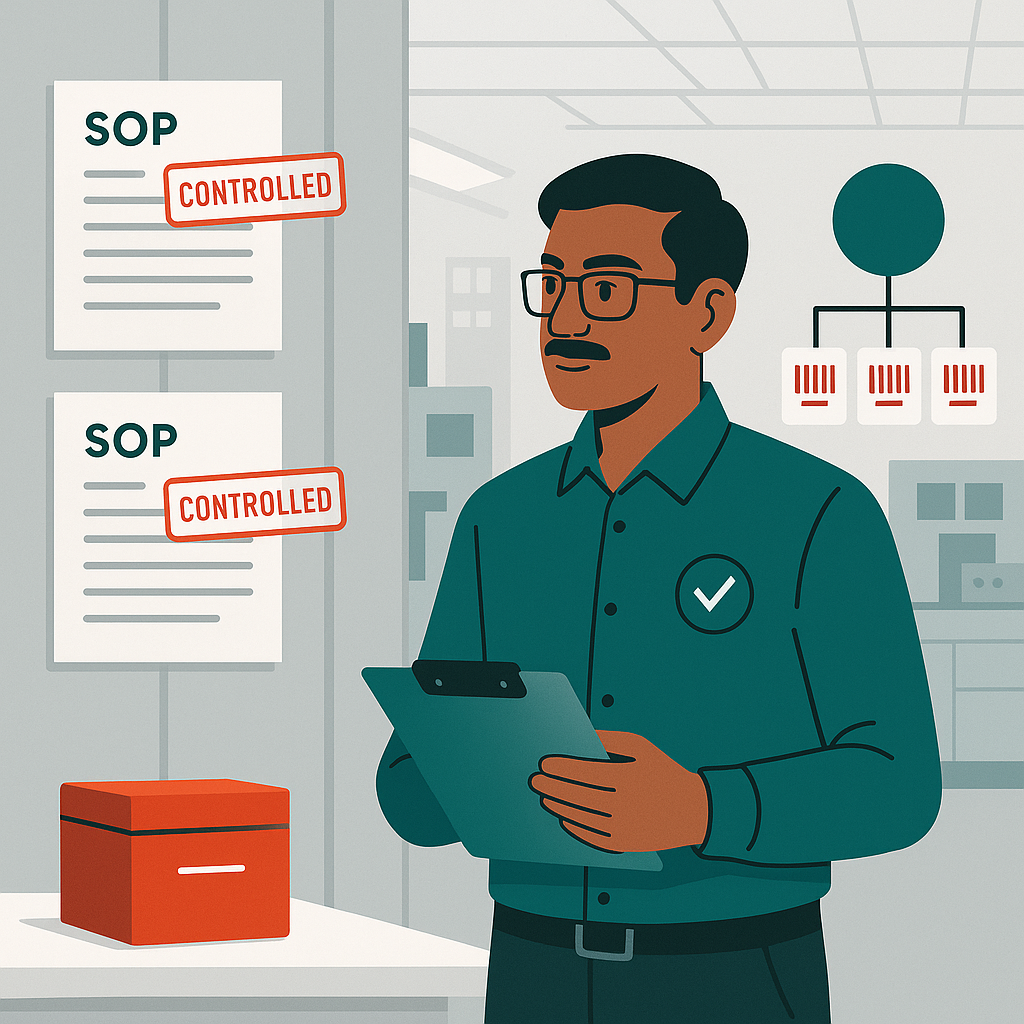
Manufacturing in 2026: SOP Control, Quality Docs, and Audit-Ready ECM Workflows

manufacturing document management in 2026: practical guidance, benefits, and implementation tips for enterprise teams.

manufacturing document management 2026 enterprise automation

```html Manufacturing Document Management (SOPs & Quality) 2026 | Hridayam Soft

Manufacturing in 2026: SOP Control, Quality Docs, and Audit-Ready ECM Workflows

In 2026, manufacturing document management is no longer an administrative layer around production—it is an operational control surface. As plants modernize MES/ERP stacks, add automation, and tighten cybersecurity, the document backbone becomes the system that proves “what happened, when, by whom, and under which approved instructions.” That proof is built on SOP management, robust quality documentation, disciplined version control, and end-to-end traceability backed by an immutable audit trail for controlled documents.

The manufacturers that outperform in 2026 treat documents like data: governed, secured, integrated, and automated across workflows—without slowing the shop floor. This article outlines the technical patterns that make manufacturing document management audit-ready while still practical for real operators, real shifts, and real deviations.

For an overview of enterprise content foundations, see our ECM guide. For intelligent routing and extraction use cases, review the AI automation guide. And to align policies, retention, and controls, use the Governance & compliance guide.

Why 2026 manufacturing document control fails in “normal” DMS setups

A generic file repository can store PDFs, but it cannot guarantee that the right instruction was used on the right lot, that the approver’s intent was captured, or that evidence is complete when an auditor asks. Manufacturing failures typically come from gaps across five capabilities:

  • SOP management that is disconnected from training, equipment, and change control.
  • Weak version control where “final_v7” becomes a de facto policy.
  • Incomplete traceability between batches, deviations, CAPA, and supplier changes.
  • An audit trail that can’t reconstruct review/approval steps with timestamps and identities.
  • Unclear boundaries for controlled documents versus drafts, references, and legacy scans.

The modern baseline for manufacturing document management is ECM-style governance: role-based access, workflow automation, metadata standards, integration, and security-by-design. Hridayam Soft Solutions implements these patterns across manufacturing environments where uptime and compliance are both non-negotiable. Explore manufacturing-specific context on our manufacturing industry page and our enterprise document management system solution.

2026 insight: The “unit of compliance” is shifting from a document to a documented event—an approved instruction, executed by a qualified person, on a specific asset, for a specific lot, with evidence attached. That requires version control, traceability, and an audit trail to be engineered as a system, not left to user discipline.

Design pattern: controlled document lifecycle that matches plant reality

A practical lifecycle for controlled documents in 2026 should be explicit, enforceable, and measurable. At minimum:

  • Draft: collaborative editing, restricted visibility, no operational use.
  • In review: parallel/serial workflow, required comments, risk and impact capture.
  • Approved & effective: only this state can be used for production; distribution rules apply.
  • Superseded: discoverable for history, blocked from operational use; linked for traceability.
  • Obsolete/archived: retention policy enforced; legal hold supported.

This structure strengthens SOP management because it turns policy into workflow automation. It also supports quality documentation by ensuring evidence maps to the effective version. Crucially, it makes version control unambiguous: one effective version at a time, with controlled visibility.

Comparison: folders vs metadata-driven ECM for SOPs and quality

Capability Folder-based repository ECM with governance & workflow
SOP management Manual distribution; relies on user behavior Automated approvals, effective dates, controlled access
Quality documentation Evidence scattered; weak linking Structured metadata, templates, record associations
Version control Duplicate “final” files; unclear effective version Single source of truth; enforced states and locking
Traceability Hard to connect lots, assets, changes Relationship mapping across batch/asset/CAPA/change
Audit trail Basic file timestamps; limited accountability Event logs for reviews, approvals, access, and exports
Controlled documents Mix of drafts and approved copies Policy-driven classification and retention controls

The technical backbone: metadata, integrations, and security controls

A 2026-ready manufacturing document management program is built on a metadata model that supports governance and automation. Think in terms of “searchable evidence,” not “places to store files.” Recommended metadata dimensions include:

  • Document type taxonomy: SOP, work instruction, specification, form, deviation, CAPA, COA.
  • Site/line/cell, asset ID, and product family for traceability.
  • Effective date, review period, and training requirements for SOP management.
  • Approval roles and electronic signatures to strengthen audit trail.
  • Classification (public/internal/restricted) and retention schedules for controlled documents.

Integrations determine whether your quality documentation is complete. The most valuable patterns connect ECM to MES/ERP/QMS so that: (1) production records link to the effective SOP version, (2) deviations auto-attach evidence, and (3) changes propagate via controlled workflow. Consider extending automation to upstream documents too—invoice and supplier paperwork can be standardized using AI invoice data extraction, improving inbound governance and supplier traceability.

Security is now inseparable from compliance. Implement least-privilege access, conditional access for remote approvals, encryption at rest/in transit, and export controls. These measures directly protect controlled documents and preserve audit trail integrity.

Operationalizing SOPs: from “read & sign” to competency-based execution

Traditional SOP management often ends at publishing. In 2026, it must close the loop: training assignment, competency verification, and evidence capture at the moment of execution. This is where version control and traceability meet real-world work.

  • Trigger training workflows when an SOP becomes effective (automation + governance).
  • Restrict execution forms unless the user is qualified (security + workflow).
  • Link every executed record to the effective SOP revision (strong audit trail).
  • Prevent “offline print drift” with controlled distribution and expiry (protect controlled documents).

Even adjacent operational systems can strengthen the compliance story. For example, controlled site access supports incident reconstruction and visitor accountability—see the visitor management system. And for CAPEX governance and maintenance documentation alignment, review our fixed asset management software.

How to measure maturity: evidence latency and audit readiness

Manufacturers often measure document programs by counts (documents created, SOPs updated). In 2026, better metrics are:

  • Evidence latency: time between event and complete quality documentation availability.
  • Revision adoption time: how quickly the effective version control state reaches all users.
  • Trace completeness: percentage of batches with linked SOP revision + equipment + operator.
  • Audit reconstruction time: how fast you can produce a defensible audit trail.

Platforms like ShareDocs Enterpriser are designed to support these outcomes with structured workflows, governance, and controlled distribution. To see Hridayam Soft Solutions capabilities and implementation approach, visit hridayamsoft.com.

FAQ: manufacturing SOP and quality document control in 2026

1) What makes a document “controlled” in manufacturing?

Controlled documents are documents with enforced lifecycle states, access rules, retention, and approval requirements—supported by version control and a verifiable audit trail.

2) How many times should SOPs be reviewed?

Review frequency depends on risk, change rate, and regulatory expectations, but modern SOP management uses governance rules: scheduled review cycles plus event-based reviews triggered by deviations, CAPA, or process changes.

3) How do we ensure traceability between batches and SOP versions?

Enforce links between execution records and the effective SOP revision using metadata and integrations to MES/QMS. This provides end-to-end traceability and supports rapid audit responses with a complete audit trail.

4) What is the biggest mistake with quality documentation?

Treating quality documentation as “attachments in folders” instead of structured evidence. Without standardized metadata and workflow automation, version control, traceability, and audit trail quality degrade quickly.

Build audit-ready manufacturing document management for 2026

If you’re modernizing SOP control, quality evidence, and governance across sites, we can help you design an ECM workflow that is practical on the shop floor and defensible in audits.

Request a Demo
``` Manufacturing document management in 2026: SOP control, quality documentation, version control, traceability & audit trail with ECM workflows. manufacturing document management, SOP management, quality documentation, version control, traceability, audit trail, controlled documents, ECM, workflow automation, governance, manufacturing compliance Create a modern 2026 manufacturing floor scene showing digital SOP and quality document workflows on a large screen dashboard, with icons for version control, traceability links, audit trail logs, and controlled documents; teal and orange accent lighting; clean technical style, high detail, no text overlays, 16:9. Digital dashboard illustrating manufacturing SOP and quality document control with versioning, traceability, and audit trail. Manufacturing Document Management 2026 – SOPs, Quality Docs, Version Control & Traceability Dashboard

Wednesday, 8 April 2026

AI-Powered Invoice Processing for Business Efficiency


Why Invoice Processing Is Still a Bottleneck in 2026

Organisations today operate in a highly digital environment. Finance teams use advanced ERP systems. Reporting is faster. Data is more accessible than ever before.

However, one critical process continues to hold everything back. Invoice processing.

Despite investments in automation, many businesses still rely on manual or semi-automated methods for handling invoices. These include manually entering invoice data, managing approvals through emails, and reconciling transactions at the end of the cycle.


This creates a disconnect.

While the rest of finance is moving forward, invoice processing remains stuck in outdated practices. The result is inefficiency, lack of visibility, and increasing operational pressure.

For decision makers, this is not just a process issue. It directly impacts cost, compliance, and overall business agility.


Hidden Challenges in Manual Invoice Processing

Most organizations are aware that manual processes are slow. What is often underestimated is the scale of hidden challenges that come with it.


Data Entry Errors Are Just the Surface

Manual invoice processing depends heavily on human input. Even a small error in GST numbers, vendor details, or invoice values can lead to discrepancies.

These errors are not always caught immediately. They often surface later during reconciliation or audits, creating additional work and risk.


Lack of Real Time Visibility Across Accounts Payable

Without a centralized system, tracking invoice status becomes challenging. Teams do not have a clear view of where an invoice is in the process.

Is it received? Approved? Pending? Paid?

This lack of visibility affects decision making, especially when it comes to managing cash flow and vendor relationships.


Approval of Bottlenecks Slow Down Operations

Approval processes often depend on individuals rather than systems. When approvals are managed over emails or messages, delays are inevitable.

A single pending approval can hold up the entire process. Over time, these small delays compound significant inefficiencies.


High Processing Cost Per Invoice

Manual processing requires time and effort from multiple stakeholders. From data entry to validation and follow ups, every step consumes resources.

As invoice volumes increase, so does the cost of managing them.


Audit and Compliance Risks You Do Not Notice

Unstructured data and inconsistent documentation create challenges during audits. Missing fields, incomplete records, and lack of traceability increase compliance risks.

These issues may not be visible on a daily basis, but they become critical when audits take place.


What Is AI Powered Invoice Processing

AI powered invoice processing uses artificial intelligence to automate the capture, validation, and processing of invoice data.


Instead of relying on manual entry, the system reads invoice documents, extracts relevant data, and structures it for further processing.


This includes:

  • Extracting invoice data from documents and emails
  • Validating information such as GST, purchase orders, and vendor details
  • Routing invoices through predefined approval workflows
  • Integrating processed data into ERP or accounting systems

The objective is simple. Replace repetitive manual tasks with intelligent automation that improves speed and accuracy.


How AI Transforms Accounts Payable Workflows

AI brings a fundamental shift in how accounts payable functions operate.

Automated Data Extraction

Invoices come in different formats. AI systems can process these formats and extract structured data instantly.

Intelligent Validation

The system checks for inconsistencies and validates key fields. This reduces the chances of errors entering the system.

Workflow Based Approvals

Approvals are managed through defined workflows. This removes dependency on manual follow ups and ensures timely processing.

Real-Time Tracking

Every invoice can be tracked throughout its lifecycle. Teams gain complete visibility into the process.

This transformation results in a system that is not only efficient but also predictable.


Key Benefits of AI Invoice Processing for Businesses

Faster Invoice Processing

Processing time is significantly reduced. Tasks that once took days can now be completed within hours.

Reduced Errors

Automation minimizes manual intervention, leading to higher accuracy in data handling.

Improved Efficiency

Teams spend less time on repetitive tasks and more time on strategic activities.

Better Financial Visibility

Real-time insights help leaders make informed decisions regarding cash flow and vendor payments.

Scalability Without Increasing Headcount

As invoice volume grows, the system can handle the load without requiring additional resources.


Transition from Manual to Automated Invoice Processing

Traditional invoice processing is reactive. Issues are identified after they occur, often during reconciliation.

Automated processing is proactive. Errors are minimized at the source, approvals are streamlined, and data is structured from the beginning.

This shift changes how finance teams operate. It reduces stress during closing cycles and improves overall control.


What an End-to-End Invoice Automation Solution Looks Like

True efficiency comes from a solution that covers the entire invoice lifecycle.

Flexible Input Channels

Invoices can be received through multiple channels such as email, API, or bulk uploads.

AI Based Data Extraction

The system extracts data from invoices with high accuracy and converts it into structured information.

Automated Workflows

Invoices move through predefined approval processes without manual intervention.

Seamless Integration

Data is directly pushed into ERP and accounting systems, ensuring continuity across platforms.

Centralized Storage

All invoices are stored in a single repository, making retrieval easy and audit ready.


Where Most Businesses Get It Wrong

Many organizations adopt automation tools but fail to achieve meaningful results.


Common gaps include:


  • Focusing only on data extraction without workflow automation
  • Lack of integration with existing systems
  • Partial automation that does not address the full process

Without a comprehensive approach, the benefits of automation remain limited.


How PayXtract Delivers Complete Accounts Payable Automation

PayXtract addresses the full spectrum of invoice processing challenges.


It combines artificial intelligence, workflow automation, and seamless integration into a single platform.


Key capabilities include:


  • High accuracy in invoice data extraction
  • Faster processing that reduces turnaround time
  • Automated approval workflows
  • Integration with ERP systems such as SAP, Tally, and Zoho
  • Scalable infrastructure to handle growing volumes

By covering every stage of the process, PayXtract ensures consistency, efficiency, and control.


Who Should Consider AI Invoice Processing Now

AI powered invoice processing is relevant for organizations that:


  • Handle large volumes of invoices
  • Experience delays in approvals
  • Face challenges in reconciliation
  • Aim to improve efficiency without increasing costs

For CFOs, heads of accounts, and procurement leaders, this is an opportunity to streamline operations and improve outcomes.


Frequently Asked Questions

What is AI invoice processing?

It is the use of artificial intelligence to automate invoice data extraction, validation, and processing within accounts payable systems.

How does it improve accuracy?

By reducing manual data entry and validating information automatically, the system minimizes errors.

Can it integrate with existing systems?

Yes, modern solutions are designed to integrate with ERP and accounting platforms.

Is it suitable for growing businesses?

Yes, it allows businesses to scale operations efficiently without increasing operational complexity.

How long does implementation take?

Implementation timelines depend on the scope, but most solutions are designed for quick deployment.


The Future of Accounts Payable

Accounts payable are evolving into a more strategic function. Automation and AI are enabling teams to move beyond routine tasks.

Organizations that adopt these technologies early benefit from improved efficiency, better control, and enhanced decision making.


Conclusion

Invoice processing does not have to remain a bottleneck.

What most organizations experience today is not a process limitation, but a system gap. Delays, errors, and lack of visibility are not inevitable. They are signs of outdated workflows trying to keep up with modern business demands.

AI powered invoice processing changes the equation. It brings accuracy at the source, speed across workflows, and complete visibility at every stage. The result is not just efficiency, but control. Control over data, timelines, and financial outcomes.


As invoice volumes grow, the real question is simple. Will your process scale with it, or will you struggle against it?


If there is even a small gap in your current workflow, it is worth addressing now rather than fixing it at the end. You can explore how a structured, intelligent approach to invoice processing looks in practice at www.payxtract.ai and book a demo now.


Written by:
Sneha Srivastava
Digital Solutions Architect

Managing Employee Documents Securely with ECM: Access Control, Retention & Audit Trails (2026)

HR document management in 2026: practical guidance, benefits, and implementation tips for enterprise teams. ```html HR Do...